It can feel like a new generative AI model launches every week, making it difficult to keep up. AI image generators such as Google’s Nano Banana, Midjourney, Stable Diffusion and others can turn simple text prompts into detailed images in seconds. However, not every tool is suited to every project, budget or experience level.
To help narrow things down, we tested a range of popular AI image generators to determine which services work best for different types of users — from beginners to professional creators.
What Makes a Good AI Image Generator?
A strong AI image generator should support a wide range of visual styles, follow prompts accurately, and offer tools to correct mistakes when they occur. Advanced controls and editing features are valuable for professionals, while beginners may prefer simple, chat-based workflows.
Privacy and usage policies also matter. How a company trains its models and handles generated content can affect whether images are safe for personal or commercial use.
It’s also worth noting that AI-generated imagery remains controversial. Artists and copyright holders have raised concerns about training data, while others question whether existing safeguards are sufficient to prevent misuse. Reviewing a platform’s policies — and disclosing AI use when publishing images — is strongly recommended.
The Best AI Image Generators Right Now
Best Overall: Nano Banana Pro (Gemini 3)
Google’s Nano Banana Pro stands out for its ability to generate highly realistic images while maintaining strong character consistency. It’s also one of the most reliable tools for producing legible text within images, making it useful for graphics such as posters or infographics.
The platform supports both image generation and editing, though users should double-check factual accuracy in text-heavy visuals. Generation times are slightly longer than some competitors, but overall quality is among the best available.
Nano Banana Pro is available through Google’s Gemini ecosystem, with limited free usage and paid plans starting at around $20 per month.
Best for Beginners: Canva
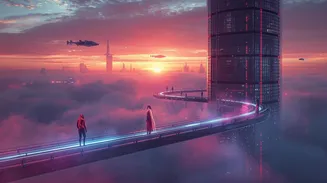
Canva’s AI image generator, Magic Media, is designed with simplicity in mind. It offers an intuitive interface that makes generating and editing images easy, even for first-time users.
While it lacks advanced editing tools, Canva excels at quick creation and seamless integration into design workflows. Its privacy policy is also notable, as generated images remain private and are not used to train the model.
This makes Canva an excellent choice for casual users, social media creators and anyone who prioritises ease of use.
Best for Professionals: Adobe Firefly

Adobe Firefly is built into Adobe Creative Cloud and is aimed squarely at professional creators. Its biggest advantage is commercial safety: Firefly models are trained on licensed and public-domain content, making outputs safe for commercial use.
Firefly offers extensive style controls and integrates seamlessly with tools like Photoshop. However, it can struggle with ultra-photorealistic imagery compared to some competitors.
For users already subscribed to Adobe’s ecosystem, Firefly is a natural and powerful addition.
Best Open-Source Option: Stable Diffusion
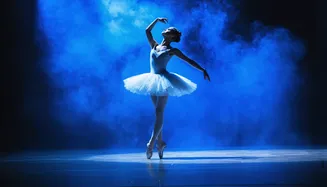
Stable Diffusion is a favourite amongst AI enthusiasts thanks to its open-source nature and flexibility. It excels at producing detailed and varied images and offers some of the most comprehensive editing tools available.
Access varies depending on how it’s used — through Stability AI’s own platform, third-party services or local installations — so pricing and privacy policies can differ. While powerful, it has a steeper learning curve than most closed platforms.
Best for Creativity: Midjourney
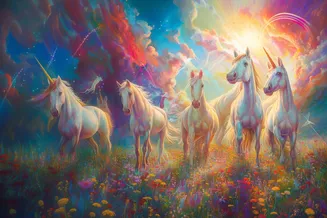
Midjourney is known for its artistic and imaginative output, making it ideal for concept art, storyboarding and creative exploration. It prioritises style and mood over strict realism.
However, generated images are public by default unless users enable private modes on paid plans. Midjourney has also faced legal scrutiny over its ability to recreate recognisable copyrighted characters, which may be a concern for some users.
Best for ChatGPT Users: OpenAI’s GPT-Image-1
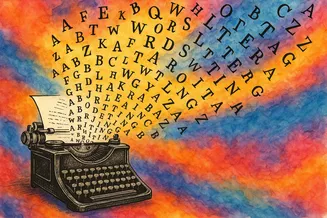
OpenAI’s image generation model is accessible directly through ChatGPT, making it a convenient option for existing users. It produces creative images across a range of styles and can sometimes handle text well, though results are inconsistent.
The lack of advanced editing tools makes correcting errors more difficult, but free access and low-cost upgrades make it appealing for budget-conscious users.
How We Tested AI Image Generators
Each tool was tested using real-world prompts, including photorealistic scenes, stylised artwork and complex descriptions. Generators were evaluated on prompt accuracy, creativity, response speed and overall usability.
We also examined how each platform handles moderation, brand references and copyrighted material, as well as how transparent it is about data usage and model training.



Leave a comment