
Apple’s iPad lineup has never been more capable — or more fragmented. With overlapping prices, wildly different chip classes, and features spread unevenly across models, choosing the “right” iPad in 2025 isn’t as straightforward as it once was.
The good news is that there’s no truly bad iPad. The better news is that most people don’t need the expensive ones.
After extensive testing across the current lineup, one model clearly stands out as the best option for the majority of buyers, while the others cater to more specific use cases. Here’s how the current iPad family really stacks up — and which one you should buy based on how you’ll actually use it.
Best iPad for Most People (and Families)
iPad (11th Generation, 2025)
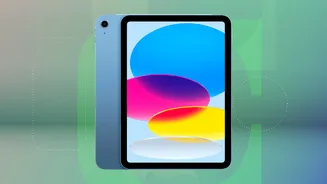
Apple’s entry-level iPad has quietly become the smartest buy in the entire lineup.
The 11th-generation iPad received meaningful upgrades this year: a faster A16 chip, double the base storage at 128GB, USB-C charging, and a front camera that finally sits on the landscape edge — a major improvement for video calls. These changes don’t reinvent the iPad, but they address nearly every long-standing complaint about the base model.
Performance is more than sufficient for everyday tasks. Streaming, browsing, schoolwork, casual gaming, creative apps, and light video editing all run smoothly. For kids and families, it strikes the ideal balance of price, durability, and capability better than any other iPad.
The trade-offs are intentional. This model doesn’t support Apple Intelligence or the newer Pencil Pro and Pencil 2 styluses. You’re limited to Apple’s USB-C Pencil or the older first-generation Pencil, which still feels unnecessarily clunky in 2025.
Still, at this price, those omissions are easy to forgive.
Buy this if: you want the best-value iPad for everyday use, kids, or shared family use
Skip it if: Pencil Pro support or Apple Intelligence matters to you
Best iPad With No Budget Constraints
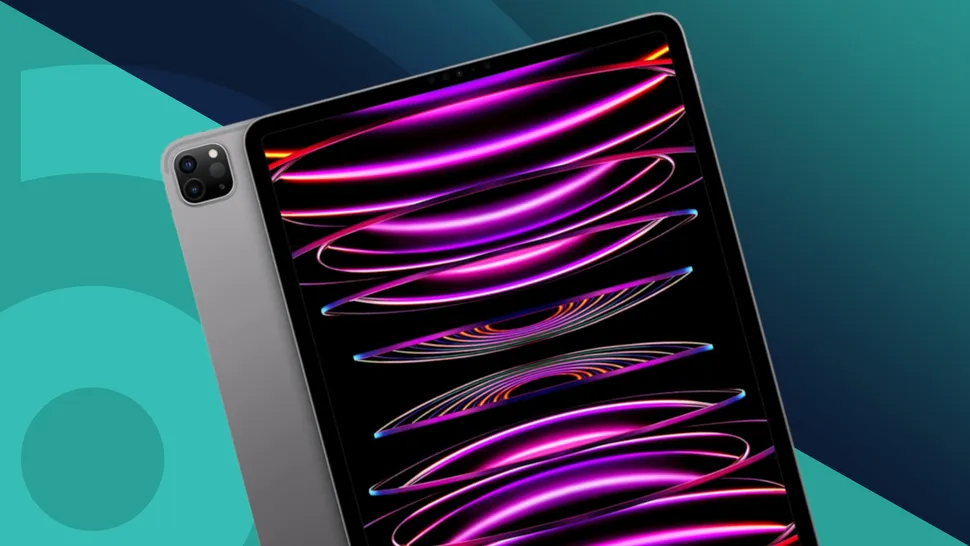
iPad Pro (M5, 2025)

The iPad Pro remains Apple’s most ambitious tablet — and its most polarizing.
This year’s update is subtle. You get the same ultra-thin design and stunning OLED display, now powered by Apple’s M5 chip. On paper, the jump from M4 to M5 isn’t dramatic, but in real-world use, the Pro feels more complete thanks to iPadOS 26’s expanded multitasking features.
The Ultra Retina XDR OLED display is the best screen Apple puts on any tablet, offering deep contrast, excellent brightness, and smooth ProMotion refresh rates. Face ID feels more natural on a tablet than on a phone, and Pencil Pro support makes this Apple’s best digital canvas.
That said, the iPad Pro is still expensive — especially once you add a Magic Keyboard and Pencil. And despite all that power, iPadOS still isn’t macOS. Some workflows remain awkward compared to a MacBook.
If money truly isn’t a concern, it’s a joy to use. For everyone else, it’s more luxury than necessity.
Buy this if: you want the absolute best iPad experience regardless of price
Skip it if: you expect it to fully replace a laptop
Best iPad for Students and Creators
iPad Air (M3, 2025)
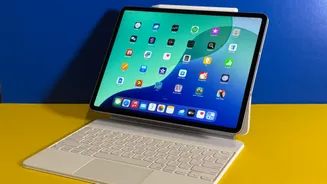
The iPad Air continues to be Apple’s most balanced tablet.
Now powered by the M3 chip, the Air delivers a noticeable performance boost over previous generations, narrowing the gap between it and the Pro. It supports the Pencil Pro, features a properly centered front camera, and works with Apple’s redesigned Magic Keyboard, which finally adds function keys.
You lose the OLED panel and ProMotion refresh rate, but the Liquid Retina display is still excellent for note-taking, creative work, and watching media.
For students, artists, and anyone who wants strong performance without paying Pro prices, this is the most sensible upgrade path.
Configurations can get expensive, though. Once you start adding storage and accessories, you’re not far off Pro pricing — something worth keeping in mind.
Buy this if: you want Pencil Pro support and strong performance without going Pro
Skip it if: you’re just looking for a casual or family tablet
Best Small iPad for Travel
iPad Mini (2024)

The iPad Mini remains Apple’s most niche tablet — but it excels at what it’s designed to do.
With an A17 Pro chip, Pencil Pro support, Apple Intelligence compatibility, and 128GB of base storage, the Mini is far more powerful than its size suggests. It’s ideal as a travel device, e-reader, or ultra-portable sketchpad.
The downsides mostly come down to scale. The display can feel cramped for multitasking, the front camera isn’t landscape-oriented, and it lacks external display multitasking. If you’re trying to do laptop-style work, this isn’t the iPad for you.
But if you want maximum power in the smallest possible package, the Mini stands alone.
Buy this if: portability matters more than screen size
Skip it if: you plan to multitask heavily or use a keyboard case
Apple Intelligence and Multitasking: What Actually Matters
Apple’s new multitasking system in iPadOS 26 works across all current iPads, including the entry-level model. Windowed apps and improved layout flexibility make every iPad feel more computer-like than before.
Apple Intelligence, however, remains unevenly distributed. It’s available on the iPad Air, Pro, and Mini — but not on the base iPad. While some AI features are genuinely useful, they’re not essential for most users today. Future versions of iPadOS could change that, but for now, it shouldn’t be a deal-breaker for casual use.
Choosing the Right iPad
- Best value: iPad (11th-gen)
- Best overall balance: iPad Air (M3)
- Best screen and power: iPad Pro (M5)
- Best portability: iPad Mini
All current iPads are fast, well-built, and designed to last for years. The real decision comes down to how much you want to spend — and whether features like Pencil Pro, Apple Intelligence, or OLED displays actually matter for how you’ll use your device.









Leave a comment