

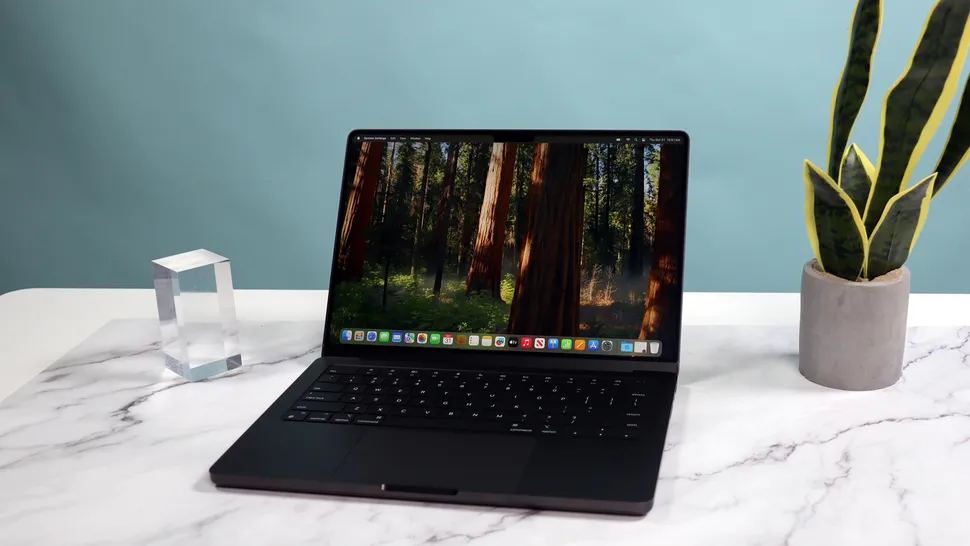
Apple’s MacBook lineup in 2026 is more capable — and more confusing — than ever. With multiple chip generations still on sale, overlapping price points, and real-world performance differences that don’t always show up on spec sheets, choosing the right MacBook now requires more than just picking “Air” or “Pro.”
After extensive testing and comparison, one conclusion stands out: most people don’t need a MacBook Pro.
Apple’s silicon has matured to the point where the MacBook Air handles far more than its name implies, while the MacBook Pro lineup has become increasingly specialized for users with demanding, sustained workloads.
This guide breaks down every MacBook currently worth buying, who each model is actually for, and which ones you should skip.
Best MacBook for most people
MacBook Air (M4, 15-inch)
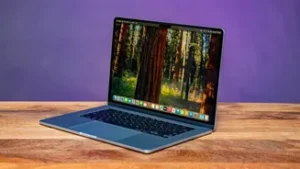
If you’re buying one MacBook to do everything — work, browsing, media consumption, light creative tasks — this is the one.
The M4 chip doesn’t radically change the MacBook Air experience, but it improves efficiency, graphics performance, and sustained workloads just enough to widen the gap between Intel-era expectations and modern reality. For everyday users, the performance ceiling of the M4 Air is so high that most people will never come close to hitting it.
What truly makes the 15-inch model stand out is its screen-to-weight ratio. Apple delivers a large, comfortable display without the bulk traditionally associated with bigger laptops. At just over three pounds, it’s easy to carry while offering significantly more breathing room than the 13-inch model.
Battery life comfortably lasts a full workday and often stretches beyond it. Thermals are a non-issue for general workloads, and the fanless design keeps the laptop completely silent.
With Apple cutting prices across the Air lineup, the 15-inch MacBook Air now sits in a sweet spot: it undercuts the MacBook Pro by a wide margin while delivering an experience that never feels compromised.
Buy this if: you want the best overall MacBook without paying Pro prices.
Skip it if: you regularly edit high-resolution video, work in 3D, or need sustained GPU performance.
Best MacBook for students and budget buyers
MacBook Air (M4, 13-inch)
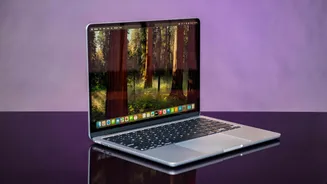
The 13-inch MacBook Air remains Apple’s most accessible laptop, and in 2026 it’s better value than ever. With a lower starting price and the same M4 architecture as the larger Air, it delivers identical day-to-day performance in a more compact form.
For students, this is an easy recommendation. It handles note-taking, research, creative software, coding, and even casual video editing without issue. The smaller display can feel limiting at times, but external monitor support helps offset that drawback.
Portability is where this model shines. It slips easily into a backpack and barely registers in weight, making it ideal for campus life or frequent travel.
Buy this if: you want maximum portability at the lowest price.
Skip it if: screen space matters more to you than weight.
Best MacBook for power without bulk
MacBook Pro (M5, 14-inch)
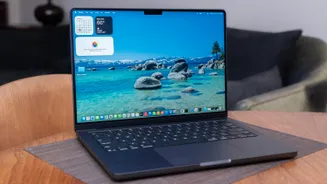
The 14-inch MacBook Pro occupies a compelling middle ground. It’s noticeably more powerful than any MacBook Air, yet far more manageable than the 16-inch Pro.
With the introduction of the M5 chip, Apple focused heavily on GPU performance, AI acceleration, and sustained efficiency. For creators, developers, and users who push multitasking hard, the difference is immediately noticeable.
The display is also in a different class. Mini-LED paired with a 120Hz ProMotion refresh rate makes everything — from scrolling web pages to color-critical work — feel smoother and more precise. Once you’ve used ProMotion, it’s hard to go back.
That said, this model only makes sense if you actually need its power. For everyday workloads, the price premium over the MacBook Air is difficult to justify.
Buy this if: you want serious power, a high-end display, and a manageable size.
Skip it if: your workload is mostly browsing, documents, and media.
Best MacBook for creative professionals
MacBook Pro (M4 Pro / M4 Max, 16-inch)
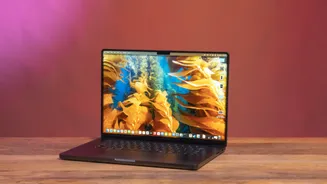
The 16-inch MacBook Pro remains Apple’s no-compromise laptop. It’s large, heavy, and expensive — but it delivers performance and thermals that smaller MacBooks simply can’t match.
The M4 Pro and M4 Max chips excel at sustained workloads. Long video exports, 3D rendering, large codebases, and complex simulations all benefit from the additional cores and thermal headroom. The larger chassis allows the system to maintain peak performance without throttling.
The display is one of the best laptop panels available, offering exceptional brightness, contrast, and color accuracy. For professionals, the optional nano-texture coating reduces glare without significantly impacting clarity.
This isn’t a laptop you buy casually. It’s a workstation that happens to fold.
Buy this if: your MacBook directly generates income.
Skip it if: portability or budget matters at all.
Should you wait for M5 Pro and M5 Max?
If you’re considering a high-end MacBook Pro, waiting may be the smart move. Apple is expected to refresh the Pro and Max variants with M5 silicon, bringing efficiency gains and further GPU improvements.
For MacBook Air buyers, however, there’s little reason to wait. The next Air refresh is likely months away, and current pricing makes the M4 models especially attractive right now.
How to choose the right MacBook
Performance reality check
- Most users will never exceed the limits of a MacBook Air
- Creative professionals will know immediately if they need Pro-level power
Memory matters more than the chip
- 16GB is the real minimum in 2026
- 32GB is ideal for long-term use
- Memory cannot be upgraded later
Storage is expensive — choose wisely
- 256GB fills up quickly
- 512GB is the practical starting point
- External SSDs help, but internal storage still matters
Bottom line
- Best overall: MacBook Air M4 (15-inch)
- Best for students: MacBook Air M4 (13-inch)
- Best compact powerhouse: MacBook Pro M5 (14-inch)
- Best for creatives: MacBook Pro M4 Pro / Max (16-inch)









Leave a comment