If you’re looking to cut the cord and upgrade your TV streaming setup, choosing the right streaming stick can make a big difference. Two of the most popular options right now are the Amazon Fire TV Stick and the Roku Streaming Stick — and with both frequently discounted, the decision isn’t just about price.
While these devices may look similar on the surface, they take very different approaches to content discovery, smart home integration, and ease of use. To help you decide, we’re comparing the Fire TV Stick 4K Plus and the Roku Streaming Stick Plus, two closely matched models aimed at mainstream users.
Fire TV Stick 4K Plus vs Roku Streaming Stick Plus: Key Specs
| Feature | Fire TV Stick 4K Plus | Roku Streaming Stick Plus |
|---|---|---|
| Typical price | $50 | $40 |
| Resolution | 4K | 4K |
| HDR support | Dolby Vision, HDR10, HDR10+ | HDR10, HDR10+ |
| Max frame rate | 60fps | 60fps |
| Wi-Fi | Wi-Fi 6 (dual-band) | Wi-Fi 5 (dual-band) |
| Ports | HDMI 2.1 (ARC), micro-USB (power) | HDMI 2.0b |
| Remote batteries | 2× AAA | 2× AAA |
On paper, the two streaming sticks are evenly matched, with Amazon pulling slightly ahead on connectivity and HDR support.
You Should Choose the Fire TV Stick 4K Plus If…
1. You want more advanced features
Amazon’s Fire TV Stick generally packs in more high-end features, including Dolby Vision and faster Wi-Fi 6 support. Amazon is also known for offering aggressive discounts on its streaming hardware, which can make the Fire TV Stick a better value when sales hit.
If visual quality and smart integrations matter more to you than a cleaner interface, Fire TV has the edge.
2. You rely on Alexa for your smart home
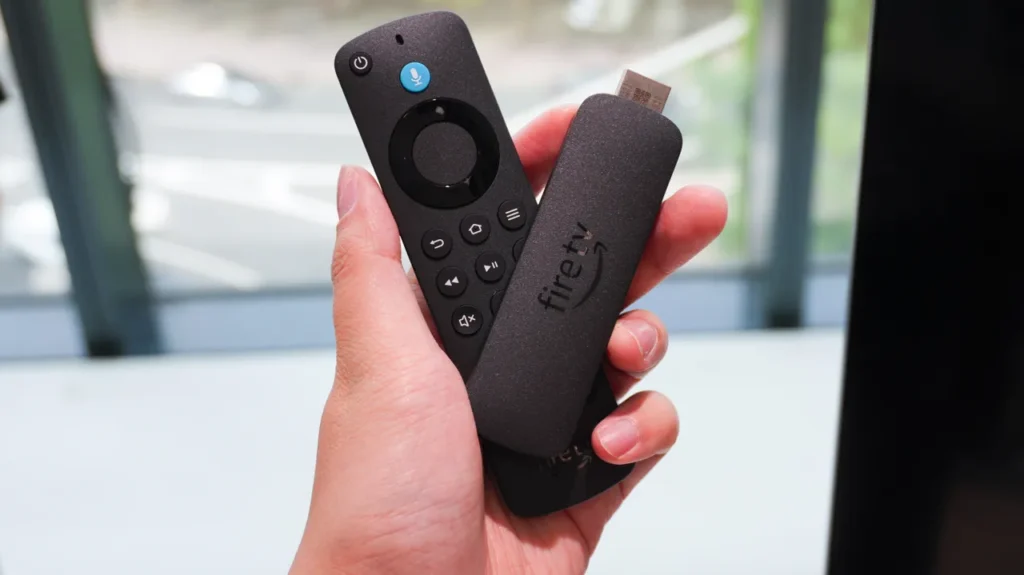
Fire TV is deeply integrated with Alexa, and the included voice remote does more than just search for shows. You can control smart lights, thermostats, and even pull up live security camera feeds directly on your TV.
While Roku does support voice commands and has its own smart home ecosystem, its functionality is currently more limited and largely restricted to Roku-branded devices.
3. Prime Video is your main streaming service
As expected, Fire TV puts Prime Video front and center. The app comes preinstalled, and Amazon Originals like The Boys, Fallout, and Reacher are heavily promoted throughout the interface.
That said, Fire TV’s home screen does feature a noticeable number of ads. If you’re already invested in Amazon’s ecosystem, those ads may feel more relevant — but they’re still unavoidable.
Roku supports Prime Video too, but setup requires manually downloading the app and linking your Amazon account, which takes a bit longer.
You Should Choose the Roku Streaming Stick Plus If…
1. You want a simpler, more intuitive interface
Roku’s biggest strength is ease of use. Its tile-based layout is clean, fast, and easy to understand — even for first-time users, kids, or older family members.
Unlike Fire TV, Roku doesn’t autoplay ads on the home screen, and most tasks require fewer clicks to complete.
2. You care about having the easiest remote
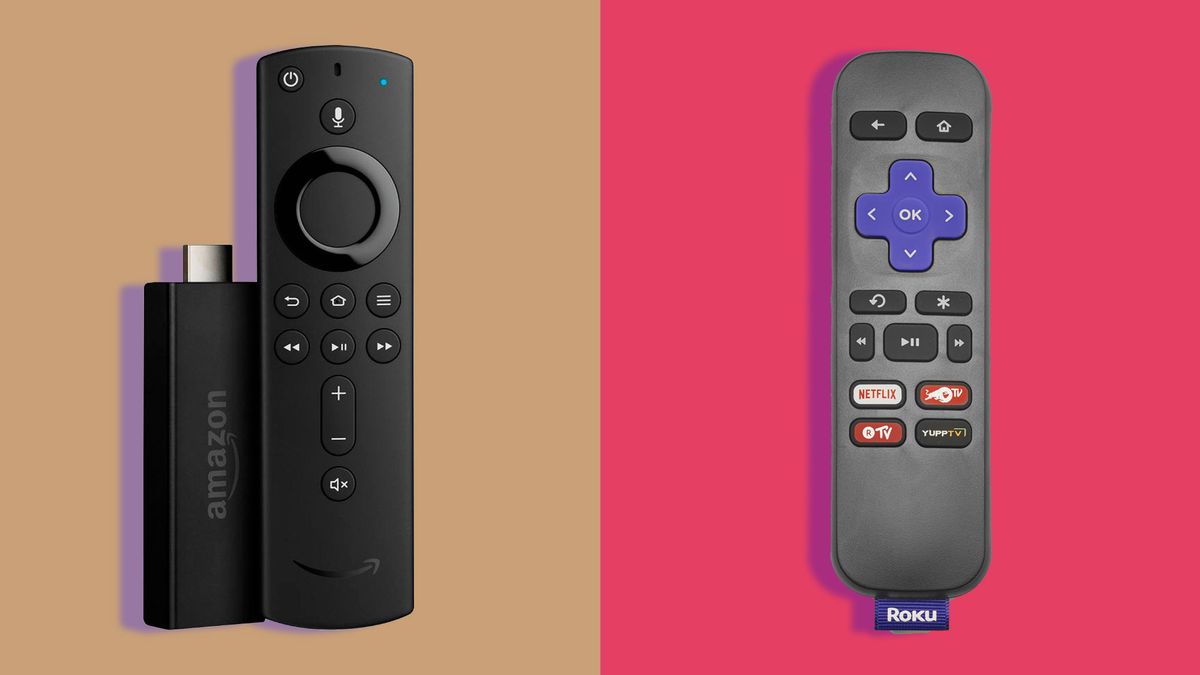
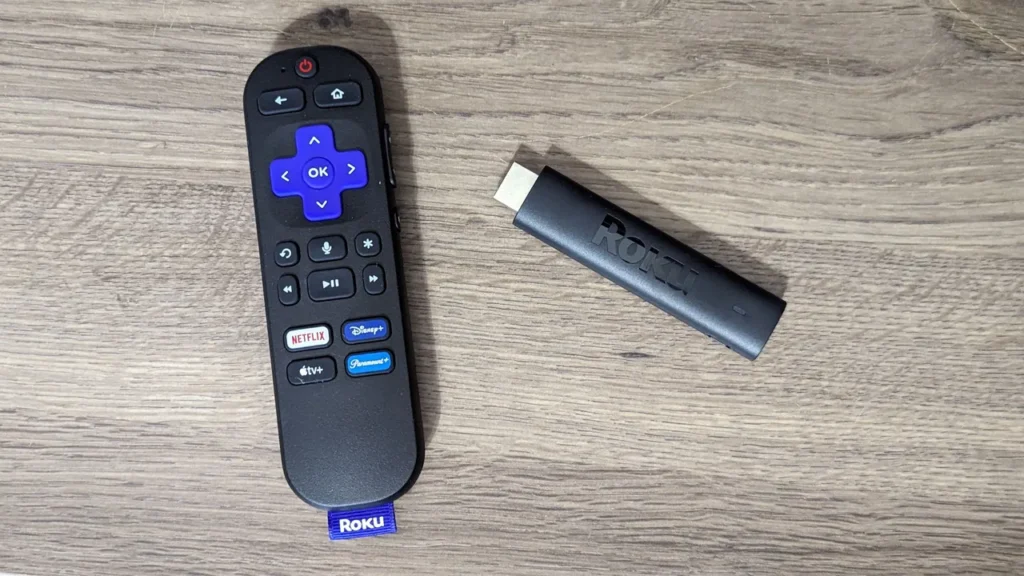
Both remotes are functional, but Roku’s remote still feels more intuitive. The physical arrow buttons and clearly labeled “OK” button make navigation straightforward.
The Fire TV remote, while improved, relies on a circular navigation pad that can feel less obvious for new users. Roku’s slightly thicker remote is also harder to lose between couch cushions — a small but real advantage.
Both platforms also offer smartphone apps that can act as backup remotes if the physical one goes missing.
3. You want the most travel-friendly streaming stick
Roku’s latest streaming sticks are powered directly through the TV’s HDMI port, eliminating the need for external power cables.
That makes the Roku Streaming Stick Plus one of the best options for travel. You can plug it into a hotel or rental TV and instantly access your own subscriptions without logging into multiple apps — or worrying about signing out later.
Alternatives Worth Considering
Streaming sticks are ideal if you want a low-cost, portable upgrade for an existing TV. However, they’re not the only option.
More premium solutions — such as streaming boxes or smart TVs with built-in platforms — offer faster performance and deeper integrations, but at a significantly higher price point.
For most users, though, a $40–$50 streaming stick remains the simplest and most affordable way to turn any TV into a capable smart TV.






Leave a comment